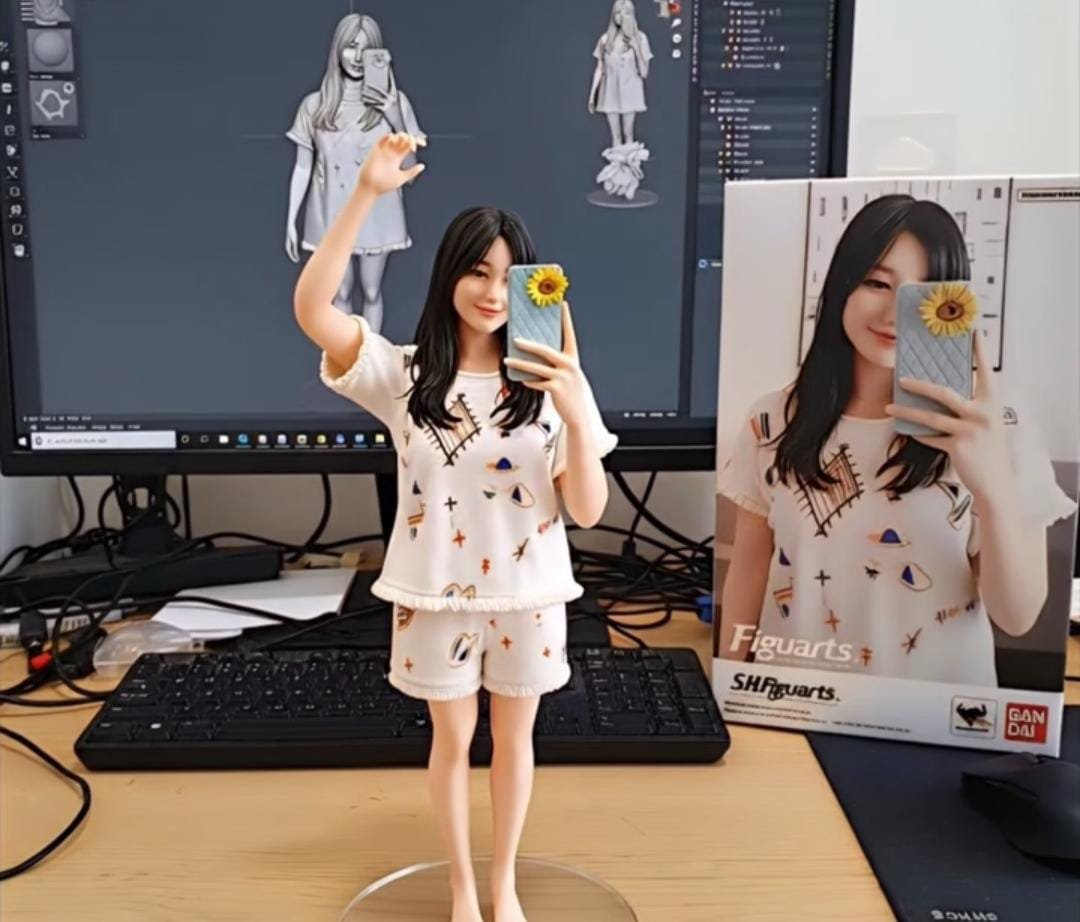
BANTENRAYA.COM – Ada 3 prompt yang bisa digunakan untuk membuat gambar berupa action figure foto diri yang sedang hits di media sosial.
3 Prompt ini bisa dimasukan untuk menghasilan action figure dengan berbagai pose atau angle yang berbeda-beda.
Dengan menggunakan perintah ini Anda bisa menghasilan foto editan AI yang tak kalah bagus sehingga akan sangat percaya diri untuk diunggah ke media sosial.
BACA JUGA: 3 Sorotan Publik ke Menkeu Purbaya Yudhi Sadewa, Sang Anak Ikut Jadi Perhatian
Untuk membuatnya ternyata tak sesulit yang dibayangkan karena cukup menggunakan Gemini AI dari Google.
AI ini bisa diakses baik menggunakan PC, tablet maupun lewat HP yang bisa diunduh di Play Store maupun App Store.
BACA JUGA: APBD Perubahan Banten 2025 Disetujui, Belanja Daerah Berkurang RP1,03 Triliun
Berdasarkan pengalaman penulis berikut cara membuat action figure menggunakan Gemini AI lengkap dengan prompt darinya:
Cara Membuat Foto Jadi Action Figure Pakai Gemini AI
1. Buka peramban kemudian akses tautan gemini.google.com atau klik aplikasi Gemini AI di HP.


2. Kemudian klik ikon tambah (+) lalu tambahkan foto yang ingin Anda ubah menjadi miniatur (bisa berupa potret diri, motor, ataupun objek lain).
3. Pada kolom “Minta Gemini” masukkan instruksi khusus agar sistem AI dapat memproses gambar sesuai yang diinginkan. 3 Prompt Gemini AI tersedia di bawah.
4. Setelah intruksi khusus AI dikirimkan, tunggu beberapa saat hingga hasilnya muncul.
5. Apabila sudah selesai, simpan/unduh hasil gambar di penyimpanan HP.
6. Action Figure yang telah jadi bisa Anda bagikan di medsos.
3 Prompt Buat Action Figure
– Prompt Miniatur Diri
“Create a 1/8 scale commercialized figurine of the person in the selfie, realistic collectible style, placed on a computer desk. The figurine stands on a transparent acrylic base without text. On the monitor is the Cinema 4D sculpting process of the figurine. Next to the monitor is a Hot Toys-style packaging box printed with th.”
– Prompt Miniatur Manusia:
“Create a 1/12 scale action figure of the person in the photo, designed as a collectible figurine. The figure has realistic details, with visible joints on the elbows and knees. The figure is standing on a black acrylic base with no text. Behind it is a toy shop display case with other miniatures inside. Next to the figure is a closed box designed like a Hot Toys packaging with the character’s name printed.”
– Prompt Miniatur Foto Keluarga
“Create a 1/18 scale miniature sculpture of the family from the photo, designed in a highly realistic style as if placed in a real environment. Position the figurine on a work desk with a transparent acrylic base, without any text. On the computer screen, display the 3D modeling process in ZBrush, and next to the monitor place a photo frame showing the original family picture.” ***